July 27, 2026
AI Answering Service: The 2026 Guide (and the One Test That Matters)
What an AI answering service is, how it works, real 2026 pricing, AI vs live compared, and the one test that separates message-takers from job-bookers.
Part of our guide: ai receptionist for small business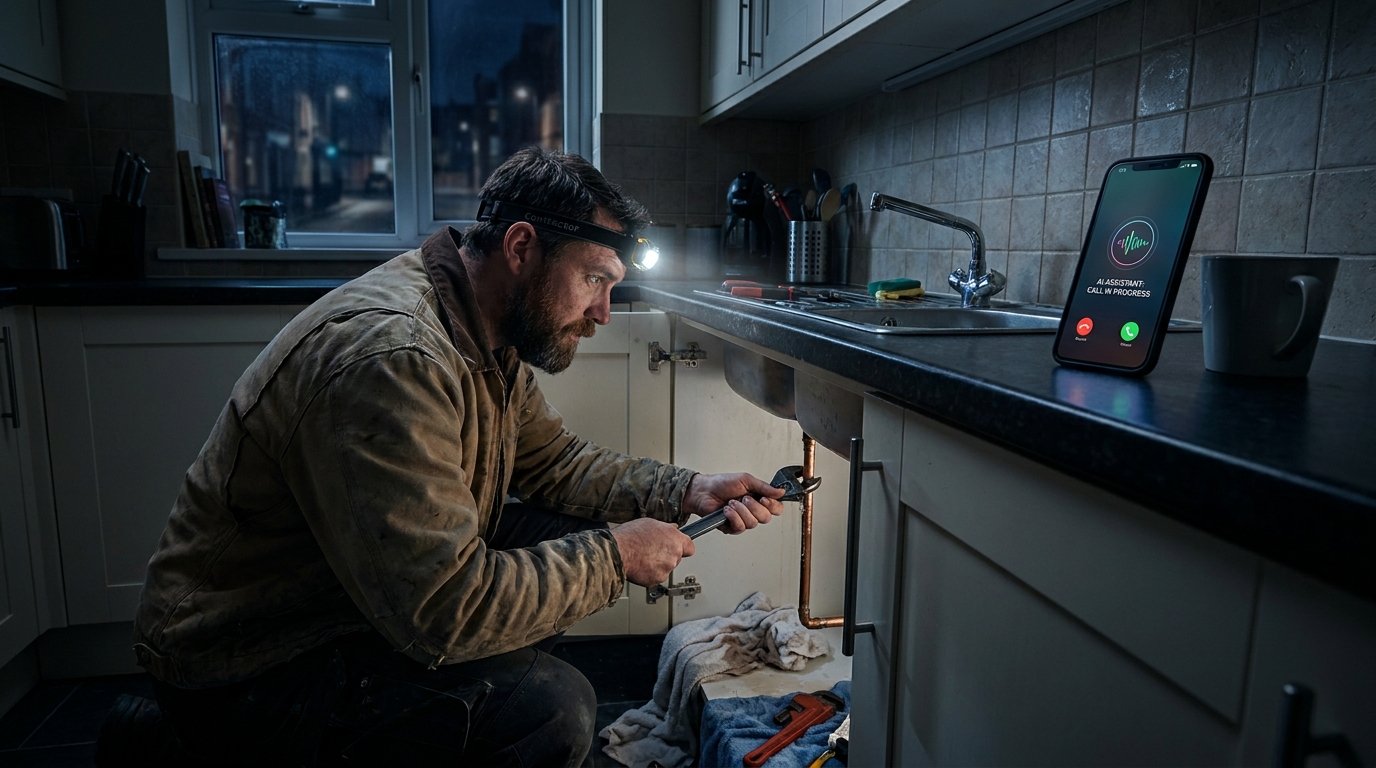
TL;DR: An AI answering service is software that answers your business line with a natural voice, 24/7, and handles the call itself: questions, qualification, booking. Generic tools run $50 to $300 a month; field-service platforms with dispatch run $297 to $597. Most reviews test whether the AI sounds human. The only test that matters is whether it can triage an emergency, quote from your real price book, and dispatch a tech while the caller is still on the line.
Every “best AI answering service” roundup I read this year graded the same three things: voice quality, pricing, and integrations. Fair enough. But almost none of them tested the moment the product actually exists for: 62% of calls to small businesses go unanswered, and 85% of the callers you miss never call back. The AI is not there to chat. It is there to catch the revenue that falls through that gap.
I have a personal stake in this category: I built RestorationAI.io after my uncle lost an $80,000 condominium job to a single missed call. So when I evaluate an AI answering service, I do not ask whether it sounds pleasant. I ask what the caller has in hand when they hang up: a booked job, or a promise.
This post is part of our complete guide to the AI receptionist for small business. Here is what the category actually is, what it costs in 2026, and the one test that separates message-takers from job-bookers.
What is an AI answering service?
An AI answering service is software that answers your business phone with a natural, conversational voice around the clock. It understands what the caller needs, answers their questions, qualifies the lead, and, on the best platforms, books the job and dispatches a technician, all without a human operator on the line.
It helps to see where it sits in the family tree, because three very different products share the shelf:
- The automated attendant. The “press 1 for service” menu from 2005. It routes; it cannot converse.
- The live answering service. Remote human operators who answer in your name and take a message, billed by the minute.
- The AI answering service. A voice agent that holds a real conversation and takes real actions: answering pricing questions, booking appointments, sending texts, writing to your CRM.
The category has gone mainstream fast. Forbes Advisor’s 2026 answering service review notes the industry’s broad shift from human-only models toward AI and hybrid coverage. Callers have moved too: in a late-2025 Telnyx consumer panel, 72% of respondents accepted AI for routine customer service, and 80% strongly supported AI agents that eliminate hold times. People do not miss hold music.
How does an AI answering service work?
An AI answering service works in four steps: it picks up on the first ring, converts the caller’s speech to text in real time, runs that through a language model loaded with your business context (services, pricing, service area, routing rules), and then acts: answering, booking, texting links, dispatching, and writing the lead into your CRM.
The mechanics matter less than what they feel like on a real call. Here is an actual emergency intake, the kind our platform runs every night:
- 9:41 PM. A homeowner’s water heater lets go. She calls the first restoration company on Google. The AI answers on the first ring, no queue.
- 9:42 PM. It asks the triage questions a trained dispatcher would: what happened, where is the water coming from, which rooms are affected, is the power safe, who owns the property.
- 9:44 PM. It confirms she is in the service area, explains what an emergency mitigation visit involves, and books the visit.
- 9:45 PM. It pings the on-call tech, who accepts with one tap. The caller is told a technician is en route. A work authorization link lands in her texts.
- 9:46 PM. The full intake, transcript, and job card are sitting in the company’s CRM before she has found the water shutoff.
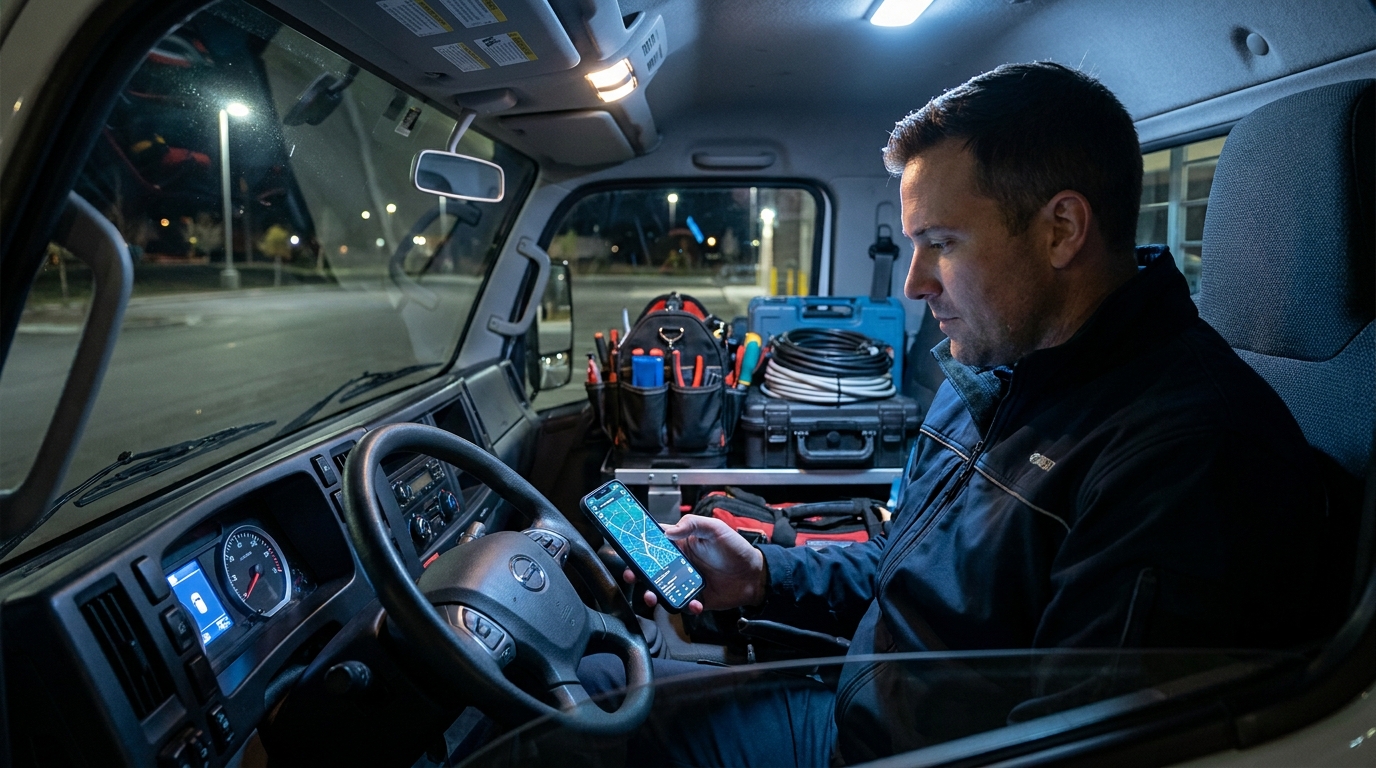 The half of the call nobody reviews: the dispatch ping that gets a tech moving while the caller is still on the line.
Whether the voice on that call sounds human enough to keep a panicked caller engaged is its own topic, and I broke it down separately in our guide to the AI voice receptionist.
How much does an AI answering service cost?
A generic AI answering service costs $50 to $300 per month in 2026, a live answering service costs $0.75 to $1.50 per minute, and field-service AI platforms with dispatch and CRM write-back run $297 to $597 per month flat.
Here is the market side by side:
| Option | Typical 2026 cost | What ends the call |
|---|---|---|
| Automated attendant | Often bundled with VoIP | A menu, then voicemail |
| Live answering service | $0.75 to $1.50 per minute | A relayed message |
| Per-call plans (Smith.ai) | About $9.75 per call | A message or transfer |
| Generic AI answering service | $50 to $300 per month | An answer, maybe a booking |
| Field-service AI platform | $297 to $597 per month | A booked job, tech dispatched |
Watch the per-minute math on live services, because overage minutes run $1.75 to nearly $3 each, and emergency intakes are long calls. A four-minute intake at live rates is a $6 call that still ends in a message.
For transparency, here is where we sit: our Leakproof plan is $297 a month for 24/7 answering and lead qualification, and Rapid Response at $597 adds dispatch, work authorizations, visual intake, and route-aware booking. At mid-volume call counts, that works out to roughly $2.32 per call against the $8 to $14 a live service costs us to benchmark. No contracts, no setup fees.
But the monthly fee is still the wrong number to shop on. The right number is cost per booked job, and I walked through that arithmetic line by line in our answering service versus AI comparison.
AI answering service vs live answering service: which is better?
For routine intake and emergency capture at a service business, AI wins on speed, capacity, and cost: it answers on the first ring at 3 AM, takes every call at once during a surge, and bills flat instead of by the minute. A live service still wins with callers who refuse to talk to software, which is why good AI platforms hand those calls to a human instead of fighting for them.
| Live answering service | AI answering service | |
|---|---|---|
| Answer speed | Queues at peak | First ring, every time |
| Concurrent calls | Limited by staffed seats | Effectively unlimited |
| Surge weeks (storm, heat wave) | Hold music | Every line answered at once |
| Billing | Per minute, plus overages | Flat monthly |
| Typical outcome | Message relayed | Job booked, tech dispatched |
| Script consistency | Varies by operator | Identical every call |
Speed is the deciding column. Conversion rates are 8x higher when a lead gets a meaningful response inside five minutes, yet only 0.1% of inbound leads are engaged that fast. And callers do not wait their turn: about 60% of people put on hold hang up within the first minute. A live operator who answers in 40 seconds and relays your message at 8 AM has technically answered the phone. He has not captured the lead.
The honest counterpoint: the same Telnyx panel found 84% of consumers insist AI cannot replace human tone when real reassurance is needed. I agree with them. The answer is not AI or humans; it is AI on the first ring with a clean handoff path, which is exactly the hybrid the trades are settling on. I ran this comparison for the trades specifically in our answering service for contractors guide.
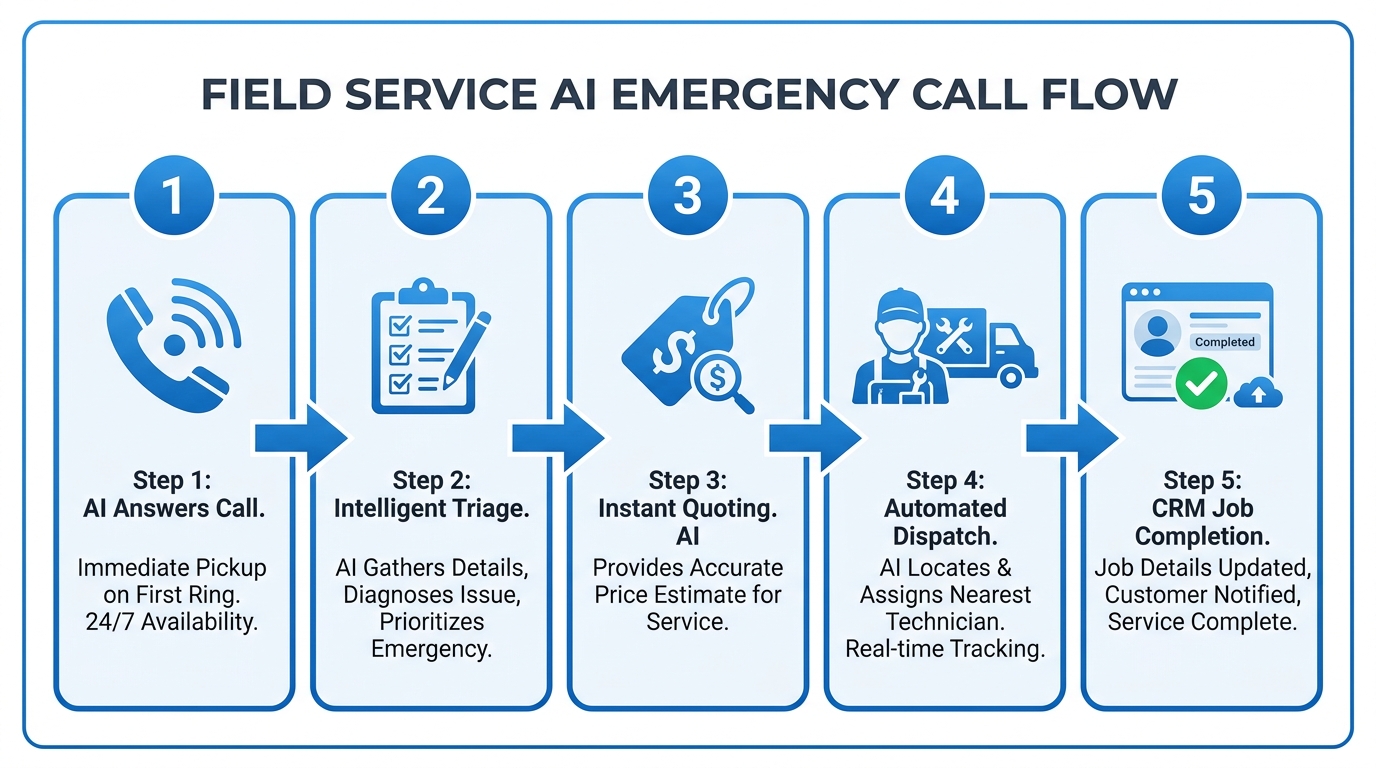 The five steps that should happen before the caller hangs up. Most services stop after step one.
Can an AI answering service handle a real emergency call?
Only if it was built for one. Handling an emergency means triaging severity with the right questions, quoting from your actual price book, and dispatching an on-call technician before the caller hangs up. Most AI answering services can hold a pleasant conversation. Very few can roll a truck.
This is the gap the roundups never test, and it is the whole ballgame for on-site businesses. In my years on the truck, the panicked 9 PM caller never wanted a callback. She wanted to hear that a truck was coming, tonight, and roughly what it would cost.
Here is the test I give every owner shopping this category: call the AI yourself at 9 PM and pretend your water heater just failed. If it cannot tell you what happens next, who is coming, and what it costs, you did not buy an answering service. You bought a voicemail with better manners.
Built-for-emergency looks concrete, not magical. In restoration, our AI asks the questions that determine IICRC water category (clean supply line versus sewage changes the urgency, the equipment, and the insurance conversation). It quotes from the price book the owner configured: per room, per stair, per couch, whatever line items the business actually sells. Then it cascades dispatch notifications down the on-call list until a tech accepts, sends the customer a work authorization to sign, and texts a link to upload photos of the damage so the crew loads the right equipment before leaving the shop.
None of that is restoration-only. One of our restoration customers pointed the same AI at his separate duct cleaning company, and it has been booking assessments all day long ever since, because “let’s get a technician out to assess it” closes almost every on-site service call. If your emergencies happen at night, and they do, the after-hours half of this problem deserves its own plan: we wrote it up in our after-hours answering service guide.
What should you look for in an AI answering service?
Judge an AI answering service on five things: what it knows about your business, what actions it can take during the call, where the data lands, how it handles surge volume, and whether you can audit every call. Voice quality gets you a demo wow. These five get you booked jobs.
- Your knowledge, not a generic script. It should know your services, your real pricing, your service area zip codes, and what you do not do. Disqualifying an out-of-area caller in 30 seconds protects ad spend.
- Actions during the call. Booking, dispatch, work authorizations, photo intake. If the feature list ends at “takes detailed messages,” it is a live service without the human.
- CRM write-back. The intake should land in JobNimbus, Housecall Pro, Jobber, ServiceTitan, or whatever your crews live in, automatically, before the caller hangs up.
- Surge capacity. Ask what happens when 15 calls hit at once during a storm or a heat wave. This is the week the service pays for itself or fails.
- Recordings and transcripts on every call. If you cannot listen back, you cannot trust the summaries, and you cannot coach the AI’s setup.
Setup, for what it is worth, is the easy part now: sign up, one onboarding call to load services and routing rules, then forward your line. Ours goes live in about five minutes of actual work, answers 1,600+ calls a day across our customers, and can be switched off with a forwarding code, which makes it one of the most reversible experiments in your business.
So skip the roundups and run the test yourself. Pull last month’s phone log, count calls in versus calls answered live, then book a strategy call at restorationai.io and bring your ugliest 9 PM emergency scenario. We will run it live: the intake, the triage, the dispatch ping, and the job card in your CRM, timestamps included. Then decide what a ring is worth.