July 6, 2026
AI Receptionist Software: The 2026 Buyer's Guide for Service Businesses
What AI receptionist software costs in 2026, the five features service businesses actually need, and how to test dispatch and CRM write-back before you buy.

TL;DR: AI receptionist software answers your business phone 24/7, qualifies the caller, and books the work without a human on the line. Generic tools run $49 to $300 a month and are fine for taking messages. But if you run a service business, the features that actually make you money are live dispatch and CRM write-back during the call, and most buyer guides never score them. This guide does.
Search “best AI receptionist software” and you will find twenty roundups ranking the same tools on voice quality, languages, and price per month. Almost none of them ask the only question that matters for a service business: after the AI answers, does a technician actually get dispatched and does the job actually land in your CRM?
That gap matters because the phone is where service businesses bleed. Small businesses answer only 37.8% of their incoming calls, and roughly 80% of callers who hit voicemail hang up without leaving a message. Every one of those hang-ups calls your competitor next.
I built RestorationAI.io after my uncle lost an $80,000 condo job to a single missed call, so I evaluate this software category through one lens: does it capture and book the job. Here is how to buy AI receptionist software in 2026, what it should cost, and the test I would run before trusting any tool with my phone line.
What is the best AI receptionist software in 2026?
The best AI receptionist software in 2026 is the one built for how your business actually wins work: for a service business, that means software that answers every call instantly, qualifies the lead, dispatches a technician, and writes the job into your CRM before the caller hangs up. A tool that only takes messages and books calendar slots is a voicemail upgrade, not a receptionist.
The market has exploded, and the 2026 roundups now list dozens of capable tools across every price point. Most of them are genuinely good at the front half of the job: answering fast, sounding human, and handling routine questions. Where they separate is the back half, which is everything that happens after the caller says what they need.
For an office that just wants fewer interruptions, a generic tool works. For a contractor, a restoration company, or any business where a truck has to roll, the back half is the whole point. I break down what that full intake flow looks like call by call in our guide to the AI receptionist for restoration companies.
Every buyer guide I read while building our platform scored the same three things: voice quality, languages, and price. Almost none scored whether the software could page an on-call tech, get a yes or no, and write the work order into the CRM during the call. Those two features are the difference between a message-taker and a receptionist, and they are exactly what I would score first.
What features should AI receptionist software have for a service business?
AI receptionist software for a service business needs five features: 24/7 instant answering, lead qualification with your scoping questions, live technician dispatch, CRM write-back during the call, and automatic disqualification of spam and out-of-area callers. Miss any one of these and a human still has to touch every call, which defeats the purpose.
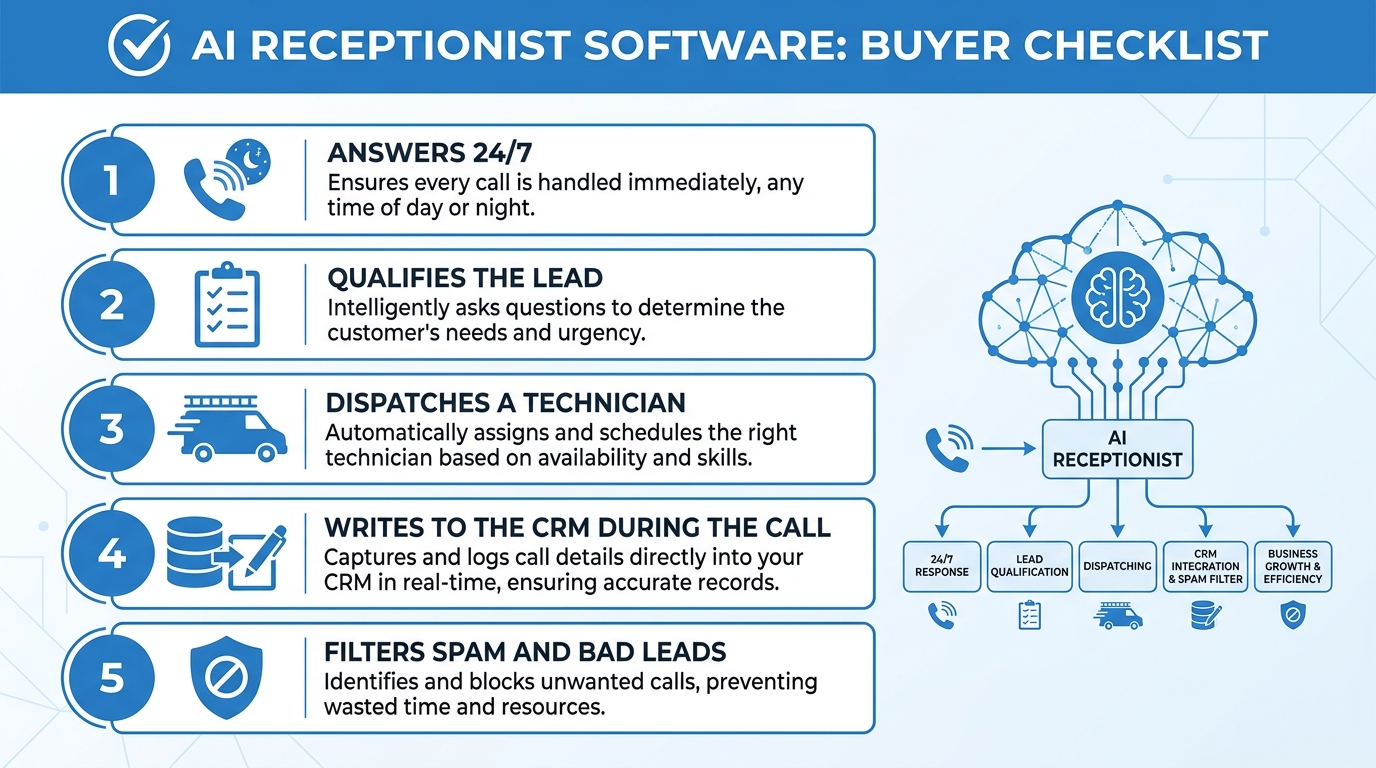 The five-point checklist: if a tool cannot do all five, it is a message-taker, not a receptionist.
Here is what each one means in practice:
- 24/7 instant answering with no concurrency limit. The software should pick up on the first ring at 2 PM and 2 AM, and answer ten simultaneous calls during a surge. Nights and weekends are where the biggest emergency jobs live, which is why we wrote a full breakdown of the after-hours answering service problem.
- Lead qualification with your questions. Not a generic script. The AI should ask what you would ask: what happened, where, how bad, and who is authorized to approve work.
- Live dispatch. The software should notify your on-call tech immediately, let them accept or decline with a tap, and cascade to the next person if nobody answers. A summary email at 8 AM is not dispatch.
- CRM write-back during the call. Name, address, job type, urgency, and notes should land in your CRM as a new job before the caller hangs up. No copy-paste, no morning data entry.
- Rapid disqualification. Solicitors, out-of-area callers, and jobs you do not do should be ended politely in seconds and tagged with a reason. If you run Google Local Services Ads, that tagged log is your evidence for disputing charges on junk calls.
When I was a restoration tech, I watched our office lose real jobs to exactly this gap. Someone answered the phone, took a message on a sticky note, and the on-call guy found out about the flooded basement six hours later. Answering was never the problem. The handoff was.
How does AI receptionist software integrate with a CRM?
AI receptionist software integrates with a CRM through native integrations or webhooks that push the captured intake data (caller name, address, service type, urgency, notes) into your system as a new lead or job in real time. Good platforms sync while the call is still live, so the record exists before the caller hangs up.
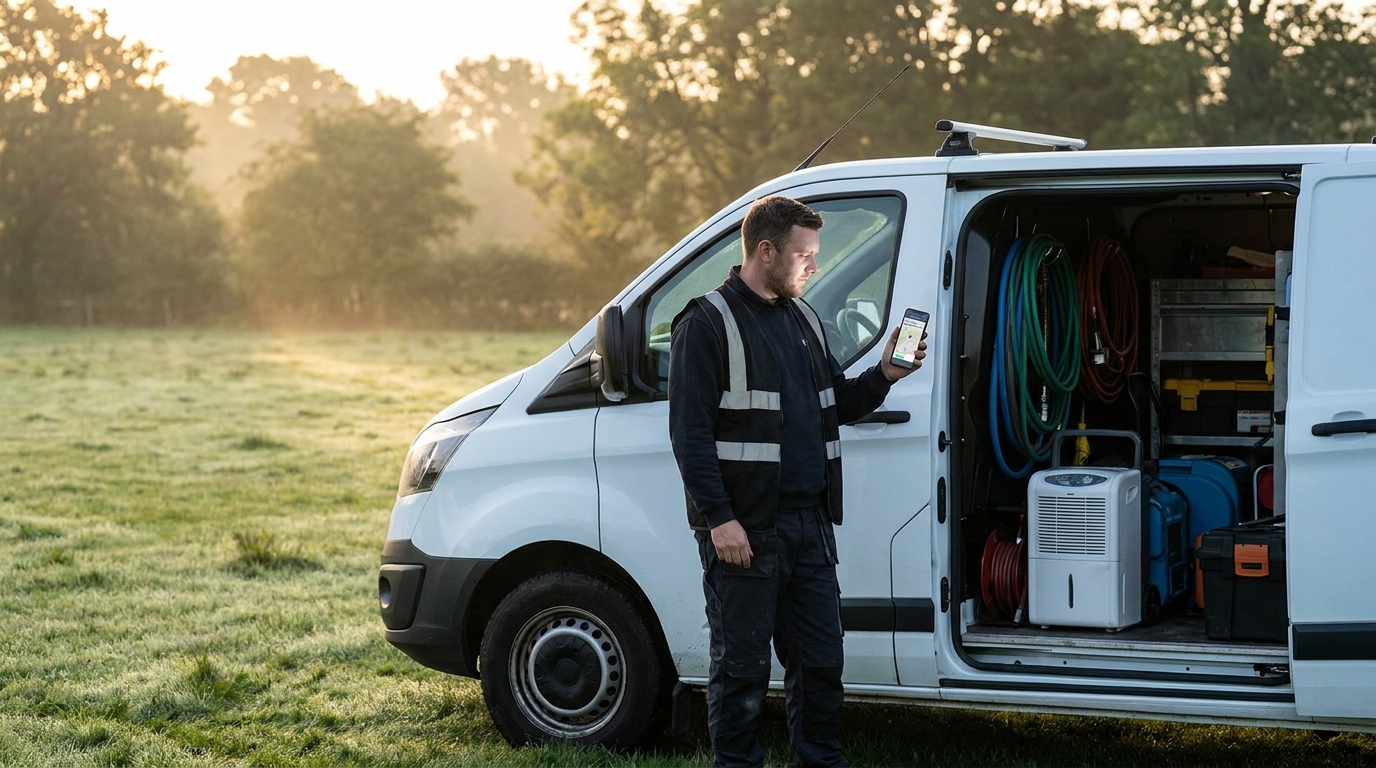 The integration test: the tech’s phone should buzz with the full job details before the homeowner hangs up.
Most general-purpose tools connect to mainstream CRMs like HubSpot, Salesforce, and Zoho, often through Zapier. That works, but for field service you want the integration to reach the tools your crews actually live in. Our platform pushes intake data over standard webhooks into JobNimbus, Albiware, Xcelerate, DASH, Housecall Pro, Jobber, and ServiceTitan, so the job card is populated before anyone types a word.
Two questions expose a weak integration fast:
- When does the data sync? During the call is the right answer. “Within a few minutes” means a batch job, and batch jobs break during surges.
- What fields transfer? A name and phone number is a contact, not a job. You want service type, address, urgency, and the intake notes mapped to real fields so dispatch and estimating can run off them.
If the vendor cannot name your CRM, ask for the webhook documentation. If they do not have that either, the “integration” is probably a daily email.
How much does AI receptionist software cost?
AI receptionist software costs $49 to $300 per month for generic flat-rate plans, roughly $0.15 to $0.30 per minute on usage-based plans, and $297 to $597 per month for service-business platforms that include dispatch, work authorizations, and CRM write-back. Every tier is cheaper than the alternatives it replaces.
Here is the honest cost comparison for 2026:
| Option | Typical cost | What you get |
|---|---|---|
| Generic AI receptionist | $49 to $300 per month | Answering, messages, basic booking |
| Service-business AI platform | $297 to $597 per month flat | Answering plus triage, dispatch, CRM sync |
| Live answering service | $0.75 to $1.50 per minute, or $5 to $12 per call | A human takes a message, one call at a time |
| Full-time receptionist | About $41,700 per year plus taxes and benefits | 40 hours a week, no nights or weekends |
The monthly fee is the wrong number to optimize, though. The right number is cost per booked job. A $49 tool that takes a message the caller never intended to leave costs you the job. A live service at $1.25 a minute that hits a hold queue during a storm costs you the five biggest jobs of the year. I ran the full cost-per-call math, including why AI lands around $2.32 per call against $8 to $14 for a live service, in our restoration answering service versus AI comparison.
At RestorationAI.io, our Leakproof plan is $297 a month for 24/7 answering and qualification, and Rapid Response at $597 adds dispatch, work authorizations, visual intake, and route-aware booking. No contracts, no setup fees.
Is AI receptionist software worth it for a small contractor?
Yes. For a small contractor, AI receptionist software pays for itself the first time it captures one job that would have rung out to voicemail, because the software costs a few hundred dollars a month and an average emergency job is worth thousands. The smaller your team, the more calls you miss, and the more the math favors you.
The speed data makes the case on its own. Responding to a lead within five minutes makes you 21 times more likely to qualify it than waiting just 30 minutes, and 78% of customers buy from whoever responds first. A two-person shop where everyone is on a roof or in a crawlspace cannot answer in five minutes. Software can, every time.
Now put restoration numbers on it. An average residential water loss runs $3,000 to $7,000, and commercial losses run $25,000 to $100,000 or more. If your shop misses even one emergency call a month that books with a competitor, that is $36,000 to $84,000 a year in residential work alone, walking out the door while you pay nothing to stop it. That is my math from working with restoration contractors every day, and it is conservative, because it ignores the commercial loss you only get one shot at.
The one honest caveat: if your phone genuinely never rings when you cannot answer it, and you have no after-hours or surge exposure, a generic cheap tool or nothing at all may be fine. Everyone else is leaving money in the voicemail box.
How do you test AI receptionist software before you buy?
Test AI receptionist software by calling the vendor’s live demo line and running a messy, realistic emergency call, then checking whether the job actually reached the CRM and the on-call phone. A polished website tells you nothing. The demo line tells you everything in five minutes.
Here is the exact test I give owners:
- Call and count the pause. If the AI takes more than a beat to reply, a stressed caller will talk over it or hang up. Voice latency and interruption handling matter more than voice beauty, and we cover how to judge them in our AI voice receptionist guide.
- Be a messy caller. Interrupt it. Change your story halfway. Give the address out of order. Real callers do all three.
- Present a real emergency. Say your water heater burst and it is spreading. Does the AI ask scoping questions and treat it with urgency, or does it offer you a Tuesday appointment?
- Try to be a bad lead. Call as a solicitor or from out of the service area. A good system ends the call politely in under a minute and tags why.
- Check the back end. Ask the vendor to show you the CRM record and the dispatch notification from your own test call, with a timestamp. This is the step that filters marketing from software.
Any vendor confident in their product will happily let you run all five. If they steer you to a scripted demo video instead, that is your answer.
If you want to run that test on us, book a strategy call at restorationai.io and bring your worst-case call. We will show you the job card and the dispatch ping, timestamps included.